
How We Edit Our Pictures in Less Than 5 Minutes with FaceApp
Let's be honest, we all want our pictures to look the best but never feel "over edited". One of the reasons we became content creators was my love for taking photos to look back on and share our adventures with others and for them to feel inspired. That’s why we love using FaceApp for quick and easy touch ups and edits that help turn normal pictures into memories we will want to share and look back on forever!
I’ve been using other editing software for years to edit our photos but I’ll admit I’ve been blown away by FaceApp’s especially when it comes to price and it’s editing capabilities when comparing to its competitors. We especially love how you can adjust their filter’s strengths, giving some much more freedom over your image’s edit and look.
At first I thought FaceApp was just another “face editing” app with unrealistic filters that I would never use. But FaceApp has quickly become one of our favorite editing tools for our photos and really helping us look the best version of ourselves!

Before FaceApp
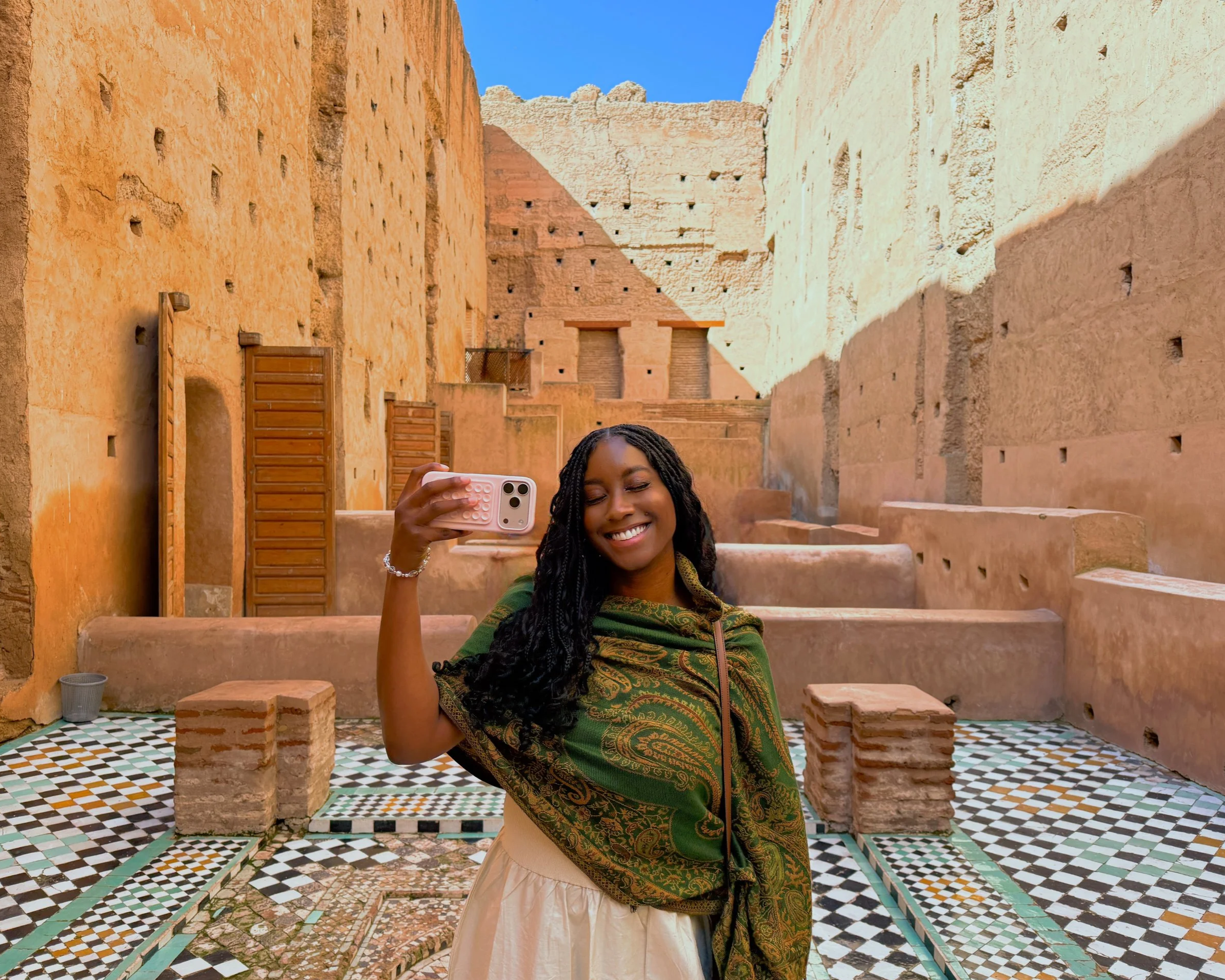
After FaceApp
Here's some of our favorite FaceApp features that we use and how you can edit your photos to help turn your ordinary pictures into Insta-worthy photos you’ll can’t wait to share with others.
Our Favorite FaceApp Features:
One Tap Enhancements
One of my favorite features is FaceApp’s one tap enhancements! With just the click of a button the app perfectly applies a preset realistic filter to the face and skin or a preset aesthetic filters that edits the entire photo. FaceApp’s presets are even customizable to help you create the perfect look for you.
FaceApp's One Tap Enhancements are called Impressions and Filters and are super useful and a game changer for quick edits that look amazing on the go.

Before FaceApp

After FaceApp
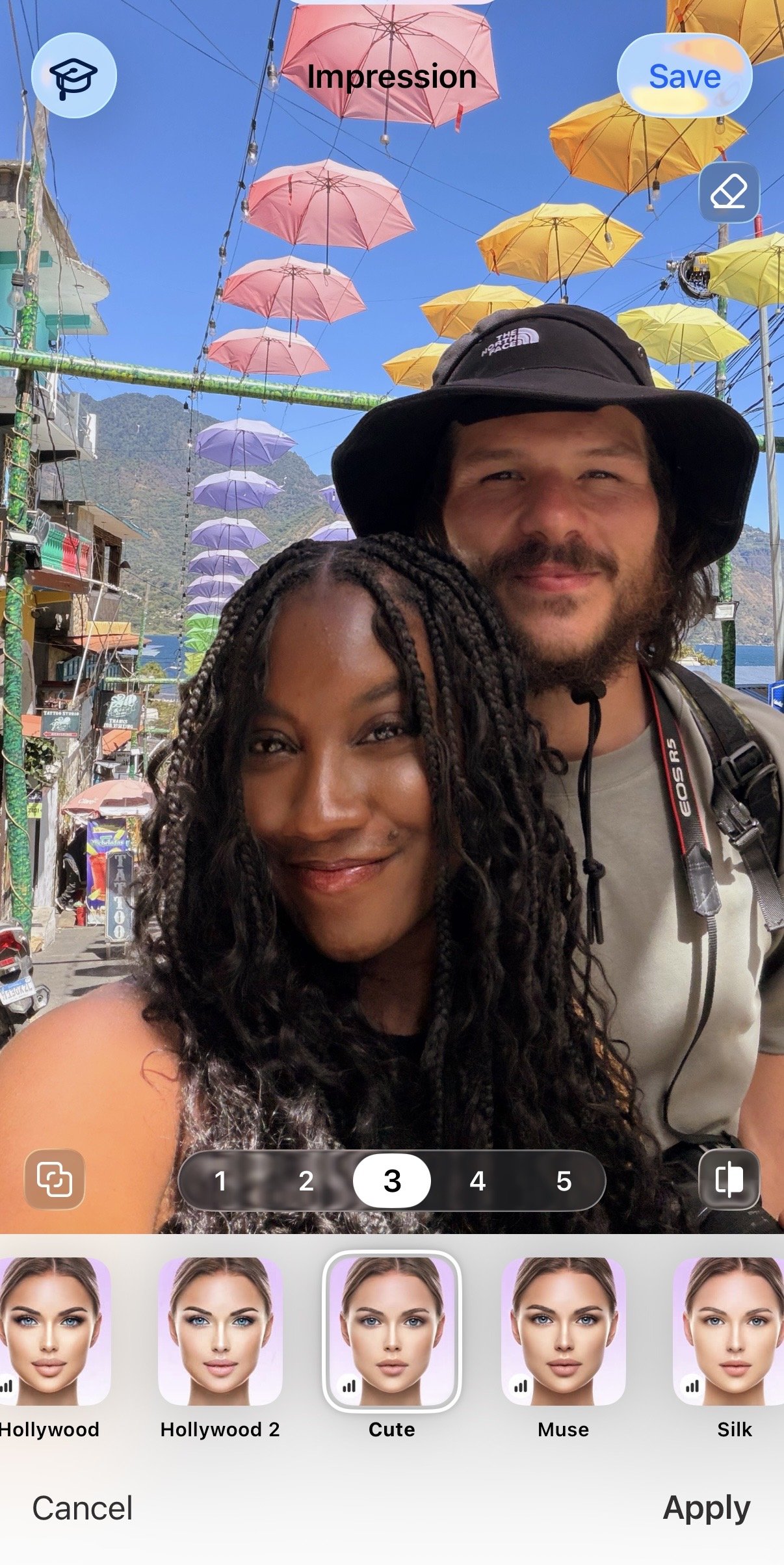
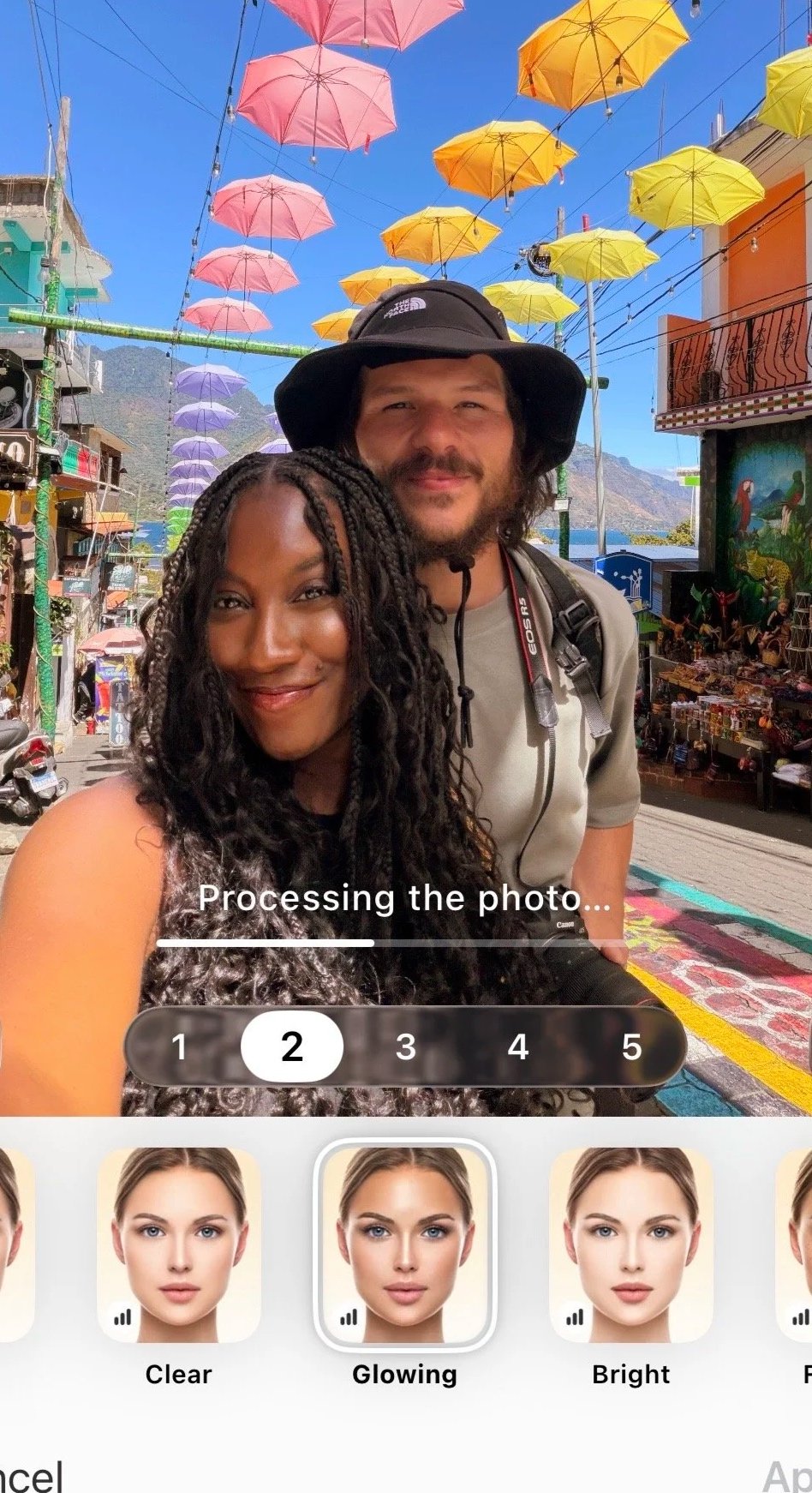
Impressions
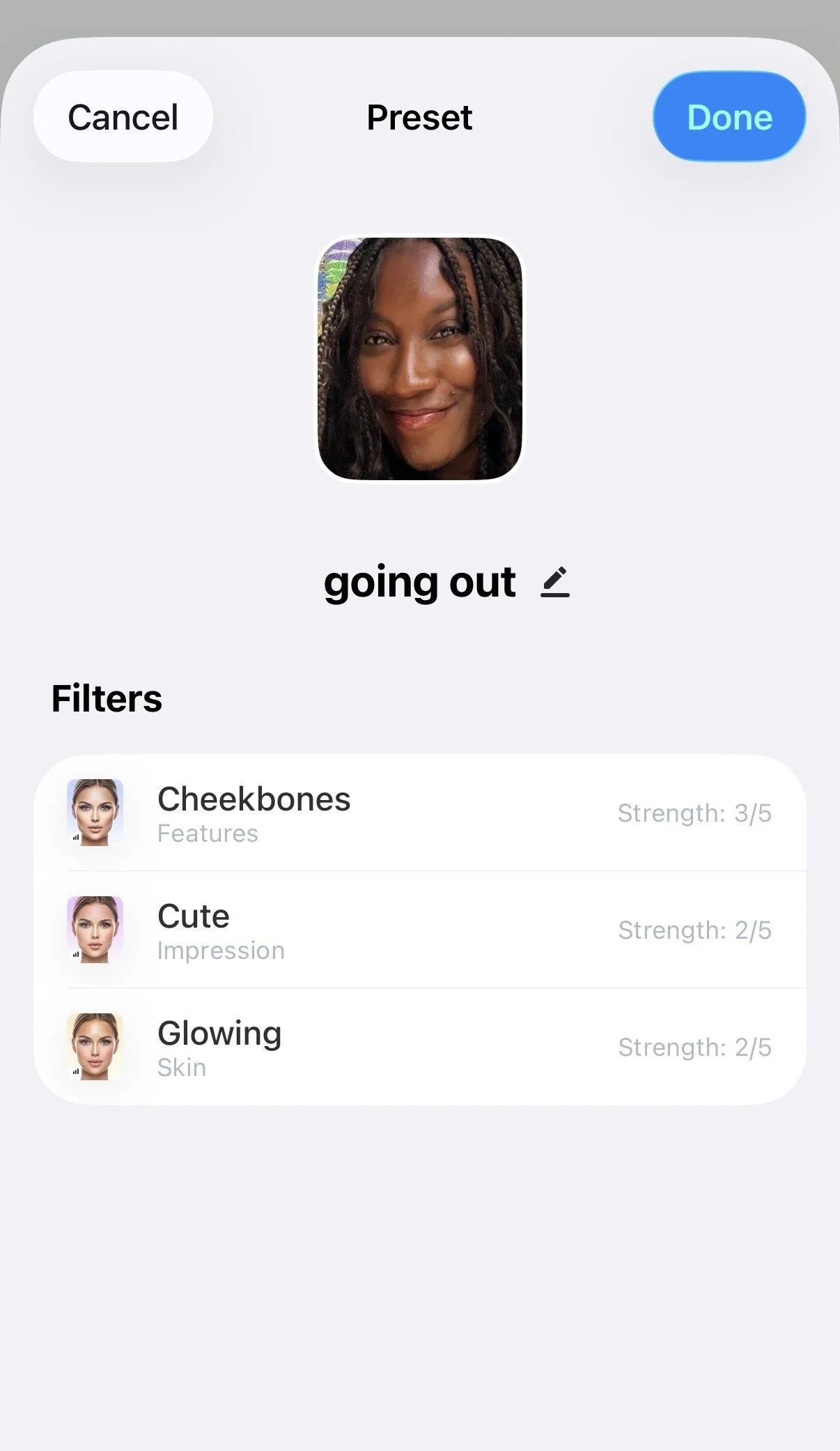
These impressions apply directly to the selected subject’s face, skin, lips and more. FaceApp has lots of different impressions to choose from to fit your look but personally, we tend to go for the more natural looking impressions to make our photos look more aesthetically beautiful while keeping the overall natural look. FaceApp even has impressions that affect lips, face shape and more that you can even save into your own preset later!
We’re using “Cute” with strength adjusted to +2, Cheekbones strength +3 and Glowing Skin strength +2 and saved it as a preset.
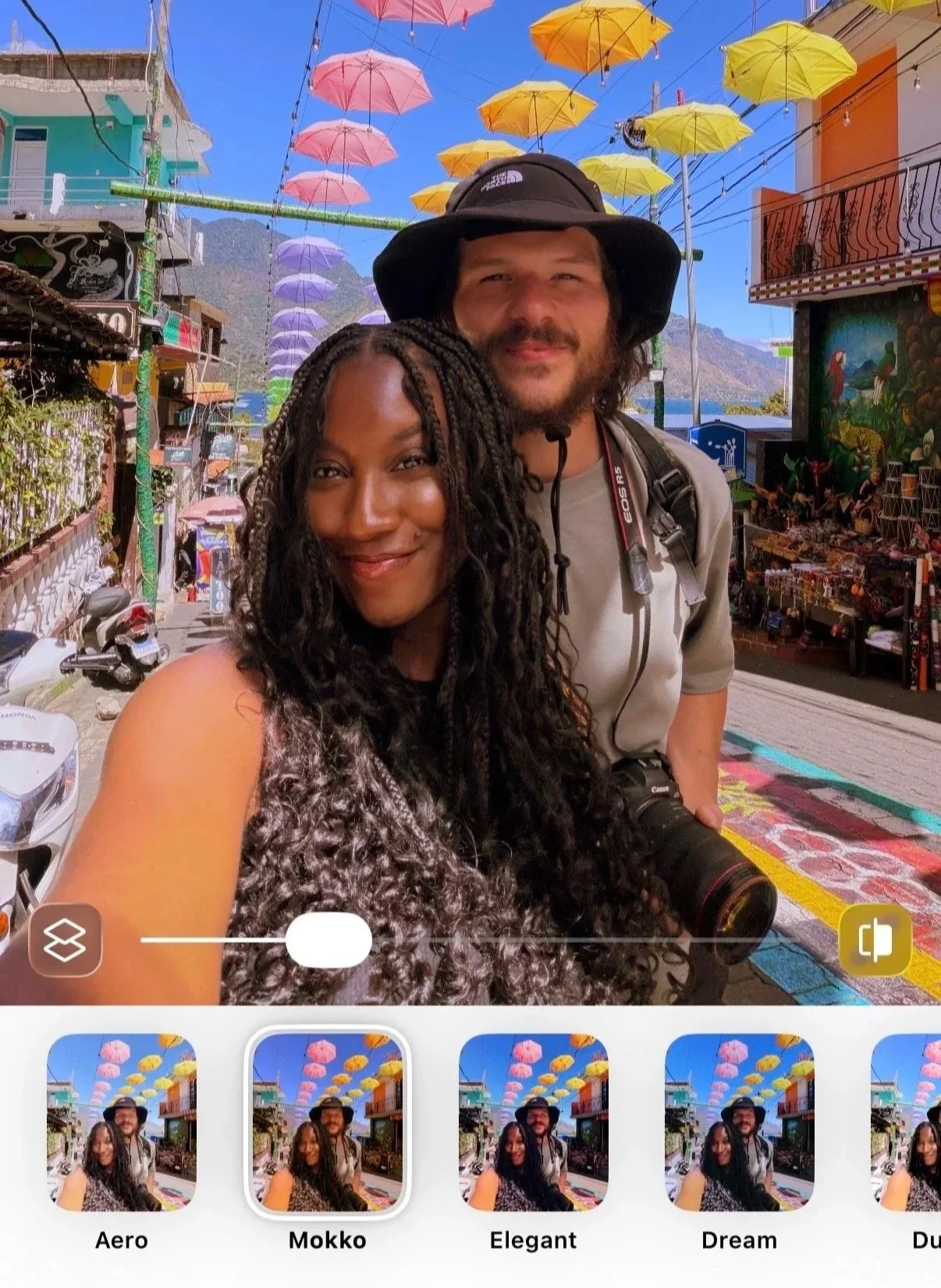
Filters
FaceApp’s Filters are perfect for making your photos more Insta-worthy and adding an aesthetic look to your entire photo without spending hours editing! Choose a filter that gives you the aestheticb you’re looking for and you can even adjust the strength of the filter.
We’re using using “Mokko” with the strength adjusted to +25
Adjustments
Here is where you can really start editing a photo from scratch. Not only does FaceApp have realistic Impression presets and Filters with a click of a button but also has the ability to complete replace your favorite editing software. Here you can adjust everything from highlights, contrast, brighten shadows, change temperature and more to really create your presets and complete transform your photos!

Before FaceApp

After FaceApp


Retouch Tool
There’s nothing worse than taking your favorite photo of all time and finding you have a huge pimple on your face. With FaceApp’s Retouch Tool, you can clear blemishes with just a touch!
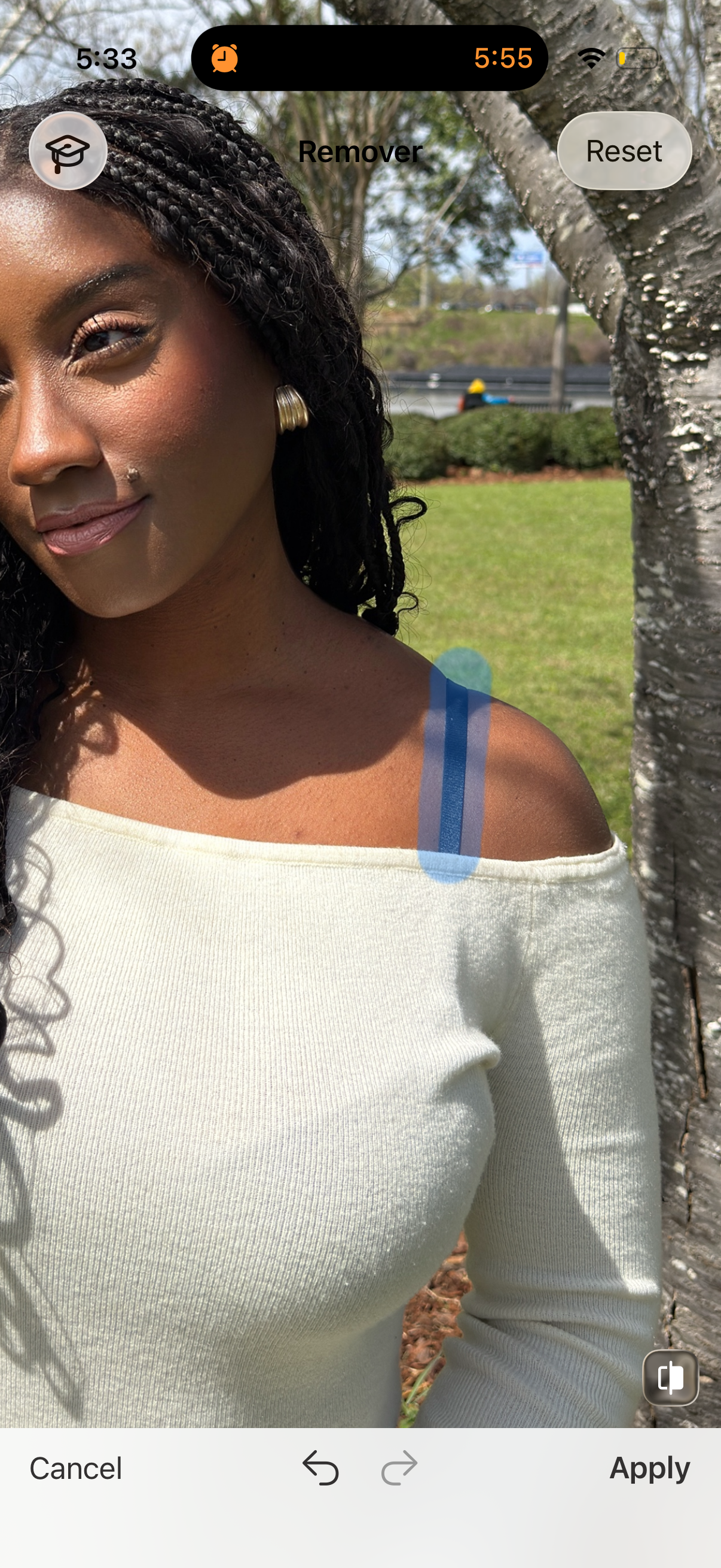
Removal Tool
This is probably my most utilized feature in the app! This helps for making our photos Insta-worthy like using it to remove people for the perfect shot, removing a bra strap, or any other unwanted elements in a photo. Occasionally it can take a few times to get the photo to look natural but it’s worth it!


Thanks For Reading Our Blog!
What’s your favorite FaceApp feature? We hope this blog helps you create some amazing photos that you’ll want to show off to everyone and post everywhere! Check out our other blog posts for your next dreamy getaway to take photos of and edit with FaceApp.